


Tasking Manager Sandbox: A Safe Space to Train, Test, and Experiment
Oct. 6, 2026
In February 2026, we officially rolled out the Tasking Manager sandbox. It builds on the foundational work from OpenStreetMap US, and gives trainers, project managers, and researchers an isolated, low-risk environment.
Clear separation between Sandbox and live projects
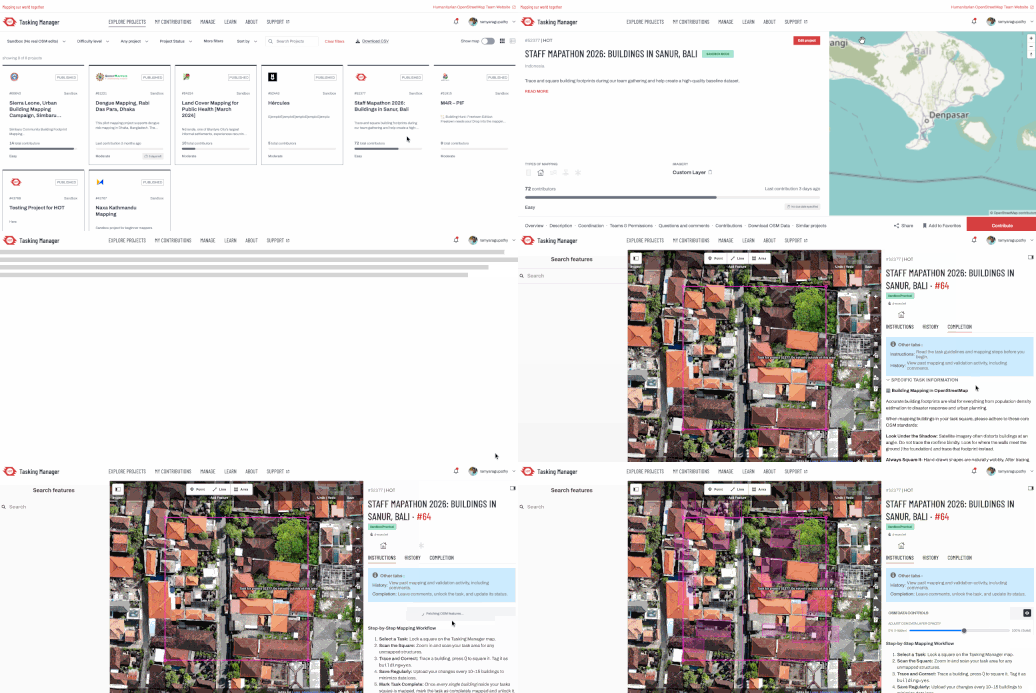
To guarantee clear separation between live OSM projects and sandbox projects, visual cues are available across the platform:
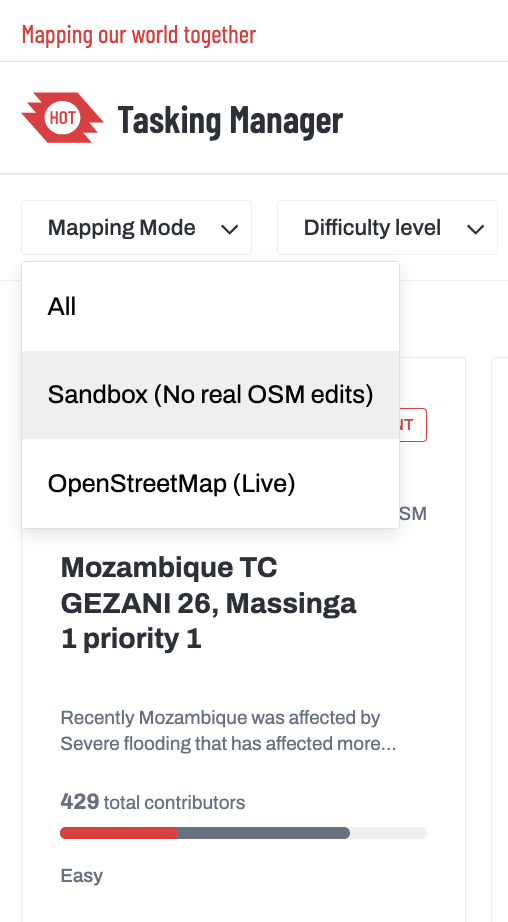
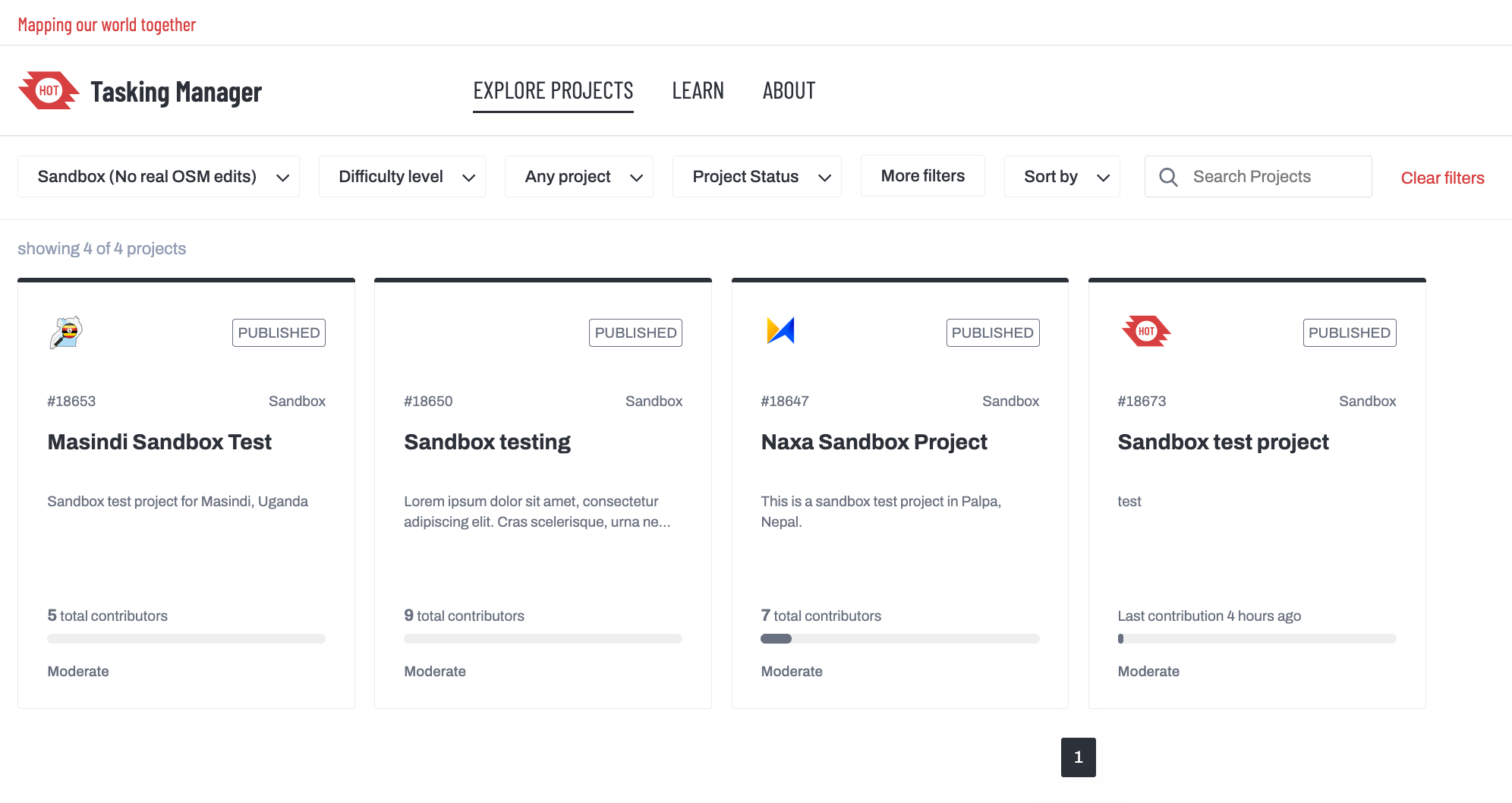
- Explore & Manage Filters: You can toggle between live OSM projects and Sandbox projects in both contributor and manager views.
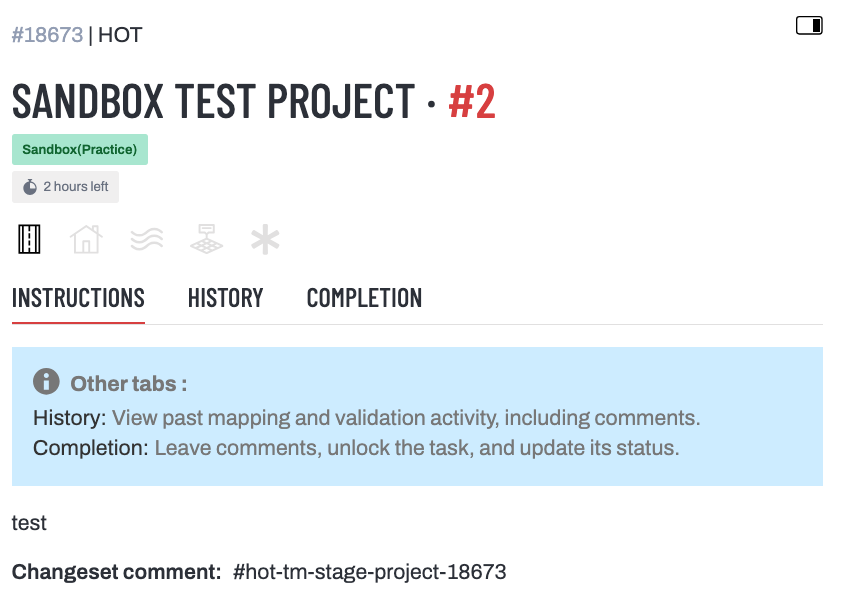
- Visual Status Banners: Prominent visual cues accompany contributors from task selection through active mapping, making it obvious which environment is active.
How it works
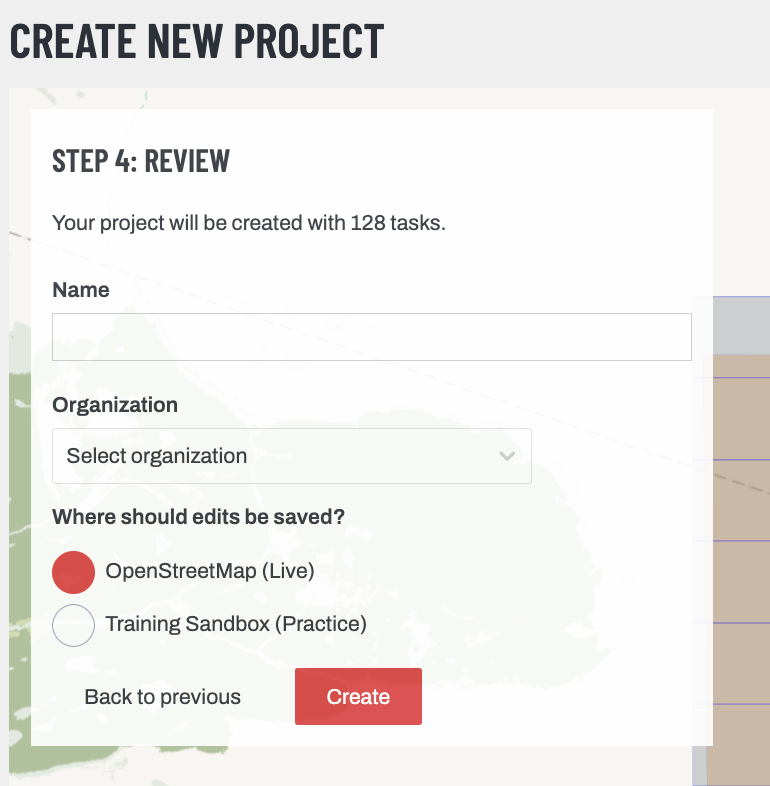
- Environment selection: You choose between Sandbox and Production during project setup or when cloning an existing project. Once generated, this selection is permanent to safeguard database separation.
- Supported Editor: Sandbox projects currently run through the iD editor.
- Project Priority: All Sandbox projects default to low priority to ensure live humanitarian campaigns stay prominent for general contributors.
- Data Retention: Sandbox data is flushed monthly. If you run a custom exercise and need project data preserved, please raise an issue on GitHub ahead of the monthly reset.
- We also have direct data downloads for each sandbox project, very similar to the OSM data downloads feature already available for standard OSM projects.
How the community is using the Sandbox
Since introducing the feature, sandbox concept has moved well beyond what we targeted initially:
- Specialized and non-standard data capture (e.g., Seagrass Mapping): Research initiatives, environmental conservation efforts, and machine learning workflows often require specialized feature tags or training labels that fall outside standard OSM tagging schemas. Whether capturing marine habitats like seagrass beds or annotating custom data, Sandbox provides the flexibility needed: contributors use tailored labeling presets, and all resulting annotations are stored safely in the Sandbox database without cluttering or conflicting with live OSM data.
- Low-stakes practice and mapathons: Several organisations have utilized the Sandbox to run zero-risk onboarding sessions, allowing newcomers to learn task-locking mechanics, split tasks, and trace imagery without causing validation issues. Paired with the private project feature, the Sandbox also makes it easy to handle projects with sensitive data.
Sandbox as a conflation interface
In the current implementation, every task in a sandbox project allows for OSM data downloads within the task area for comparison purposes. Building on this ability, we will enable custom data uploads at the task level. This allows external datasets to be compared against OSM for geometry and attributes, with corrected outputs available for download for subsequent steps.
What’s next for the Tasking Manager?
- fAIr prediction validation at the task level: Tasking Manager will support projects structured specifically around validating fAIr-generated outputs. Mappers can review, adjust, or confirm automated model detections (such as building footprints and road alignments) directly within individual task boundaries.
- Dynamic task difficulty scoring: Mapping effort varies dramatically across landscapes. We are planning to build a composite difficulty score that combines fAIr prediction density with external datasets, such as a high-resolution population layer. This will help match task complexity to contributor skill levels before a task is checked out.
This release was a collaborative effort. Our thanks go to OpenStreetMap US for the foundation it built on, and to everyone who contributed to development, testing, review, and stabilization. Head to the Tasking Manager, switch on the Sandbox filter, and try it for your next workshop or pilot project. We'd love to hear how you use it.
Share